
Safety Data Sheets (SDS), formerly known as Material Safety Data Sheets (MSDS), are comprehensive documents that provide detailed information about the hazards of chemicals, as well as guidance on their safe handling, storage, use, and disposal. SDS are typically provided by chemical manufacturers, importers, or distributors and are required to accompany hazardous chemicals in the workplace under regulations such as OSHA’s Hazard Communication Standard (HCS) and the Globally Harmonized System of Classification and Labelling of Chemicals (GHS).
The purpose of SDS is to ensure that workers and emergency responders have access to critical information about the hazards associated with the chemicals they may encounter in the workplace. SDS contain a wealth of information, including:
- Identification: Product name, manufacturer information, and emergency contact details.
- Hazard Identification: Classification of the chemical’s hazards according to GHS criteria, including physical, health, and environmental hazards.
- Composition: Chemical ingredients, including both hazardous and non-hazardous components.
- First-Aid Measures: Procedures for responding to exposure incidents, including first-aid measures and symptoms of exposure.
- Fire-Fighting Measures: Recommendations for fire-fighting techniques, extinguishing media, and firefighting equipment.
- Accidental Release Measures: Procedures for containing spills and leaks, as well as cleanup and disposal methods.
- Handling and Storage: Guidance on safe handling practices, storage conditions, and incompatibilities.
- Exposure Controls/Personal Protection: Recommendations for engineering controls, personal protective equipment (PPE), and exposure limits.
- Physical and Chemical Properties: Information about the chemical’s appearance, odor, pH, boiling point, melting point, and other physical and chemical properties.
- Stability and Reactivity: Information about the chemical’s stability, reactivity, and potential hazards when exposed to various conditions.
- Toxicological Information: Data on the chemical’s toxicity, routes of exposure, and potential health effects.
- Ecological Information: Information on the chemical’s environmental fate and impact.
- Disposal Considerations: Guidance on safe disposal methods and regulatory requirements.
- Transport Information: Information about the transportation classification, packaging, and labeling requirements.
- Regulatory Information: Applicable regulations and regulatory agency contact information.
By providing comprehensive hazard information and safety recommendations, SDS help employers and workers understand and mitigate the risks associated with chemical substances, thereby promoting a safer work environment. They also play a critical role in emergency response planning and regulatory compliance.

At AL, hard copies of safety data sheets are located in laboratories and in the main door vestibule in binders. Additionally, digital copies (pdf) may be downloaded from our online chemical inventory system. To view SDS or the inventory of a chemical in our facility, navigate to https://umces.accelerate.ehs.com.
From there, you can login to the system using the credentials provided on the last page of our printed Emergency Guide posted throughout the facility. Upon successful login, AL’s eBinder, which is a database of all chemicals located in the facility, will be viewable:
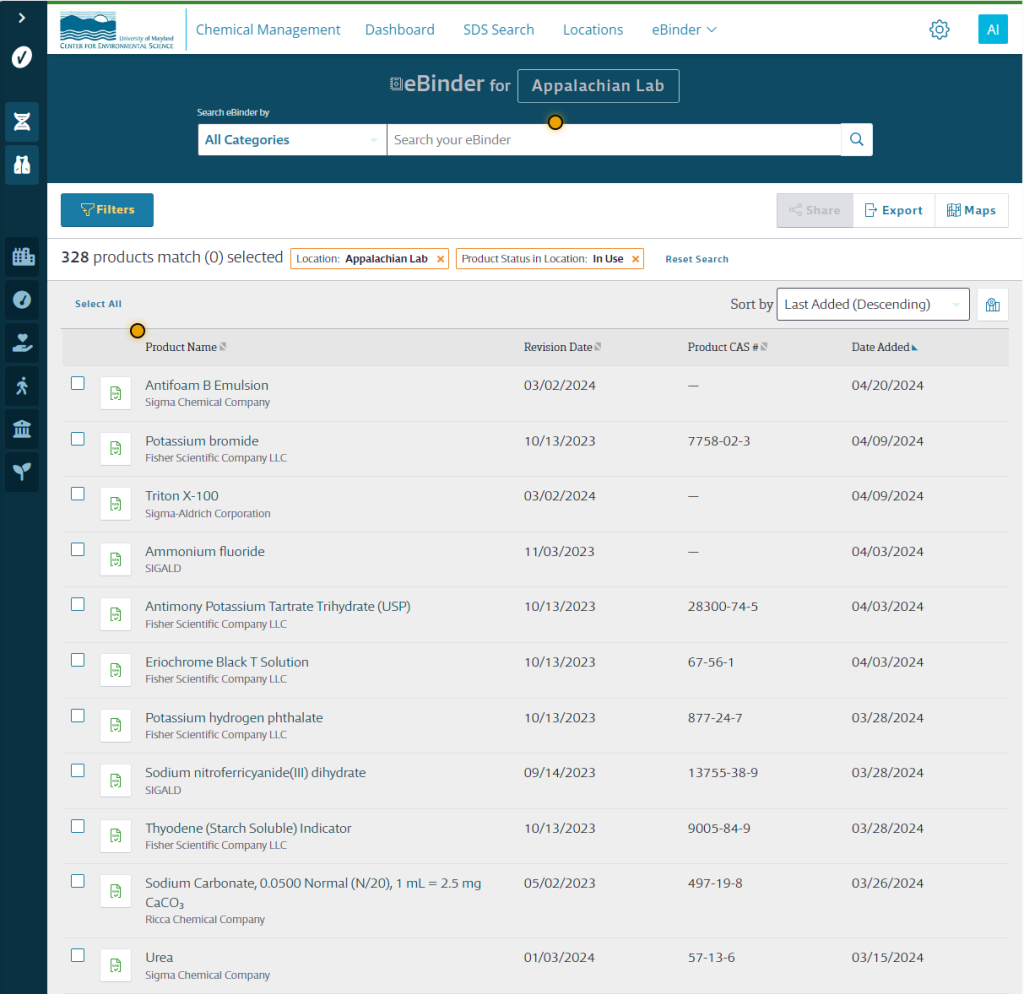
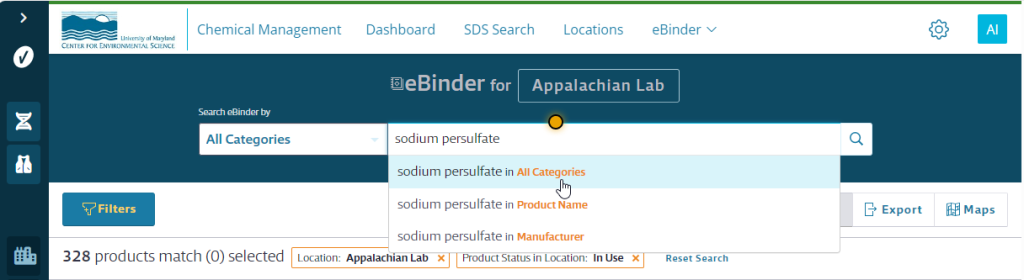
To search for a particular chemical, type its name in the search box at the top of the page and select “All Categories” or “Product Name” as your search location:
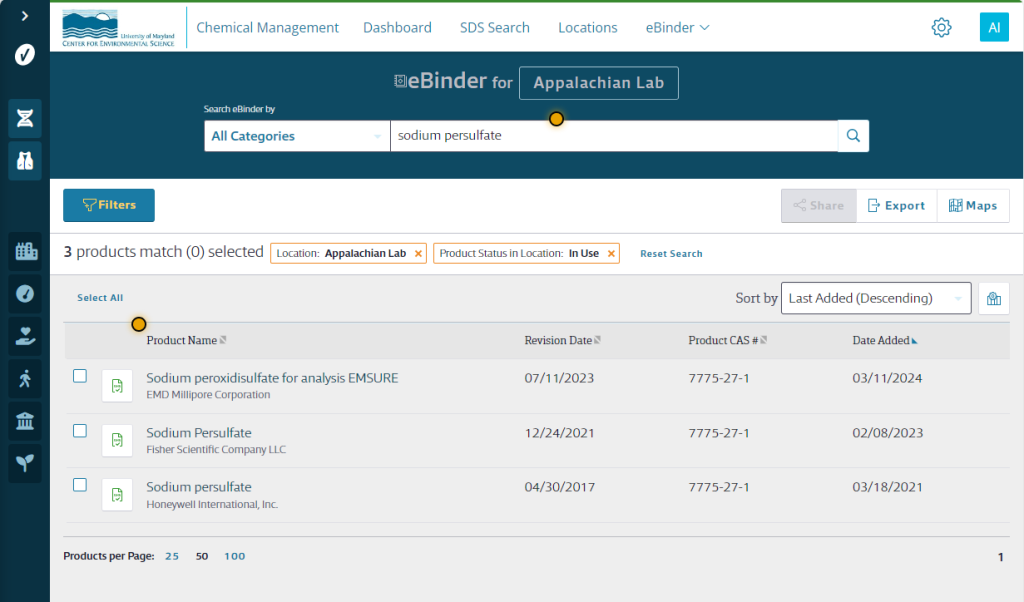
Select the chemical of interest from the corresponding manufacturer from the list of returned search results by clicking on its name:
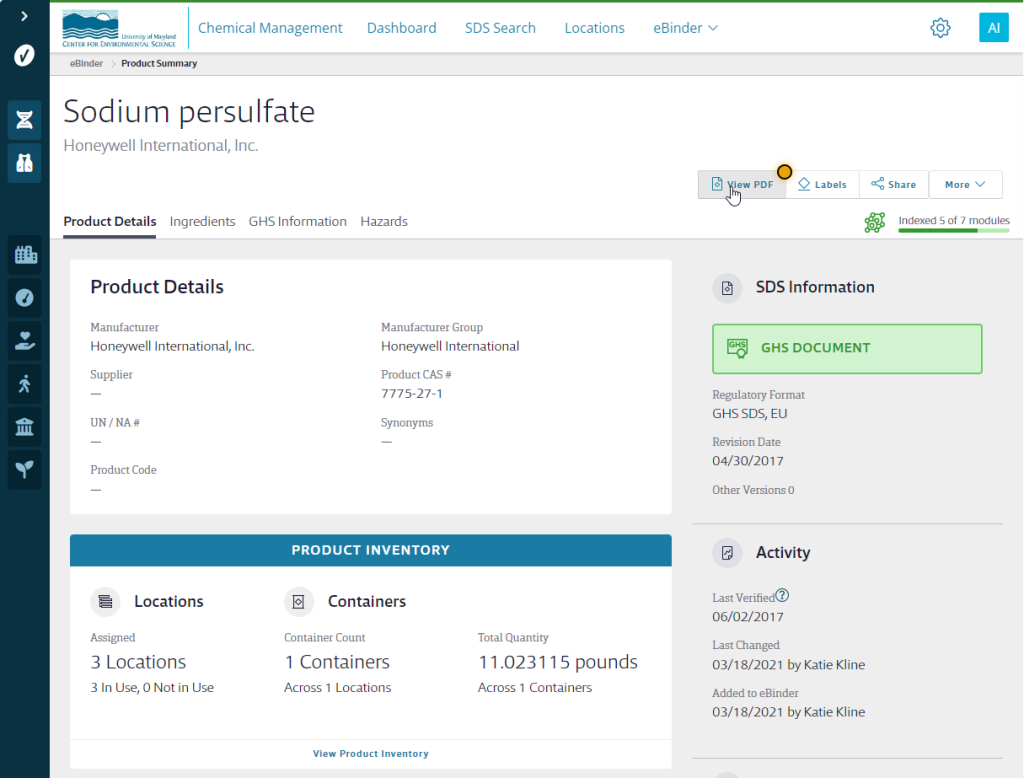
After opening the page for that chemical, click the “View PDF” button to download the most recent digital (pdf) copy of the SDS:
Alternatively, you can click the Green GHS icon to the left of the chemical name to open a digital copy of the SDS:

You can then review the SDS, download a copy locally to your device, or print a hard copy.