
Have you ever needed just a small amount of a chemical you don’t currently stock in your lab space because you’re developing a new protocol? Have you ever needed a very small quantity of a chemical for a single use and didn’t want to have to purchase the minimum available quantity from the chemical vendor? It’s important to be mindful in these situations so that we can avoid building up a stock of chemicals that we won’t use and will cost even more for disposal later. We recommend that anytime you need to purchase a new chemical that you consult our chemical inventory first, especially if it’s for single use situations or if you don’t need very much to accomplish your task.
This post will take you through the process of looking up chemicals in our facility to see how much is currently onsite and in exactly which lab they’re being stored. If someone else has something that you need, you can check with them before ordering something. The other user may not even be actively using that chemical any longer. Let’s all do our part to minimize the amount of hazardous materials we stock here at the lab.
To get started, visit https://umces.accelerate.ehs.com.
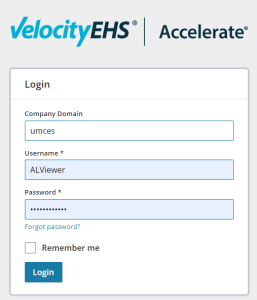
Login with our general viewing account credentials, which can be found on the yellow magnets posted on lab fume hoods, on the last page of our emergency responses procedures guide posted near every phone in laboratories, or on the third floor safety bulletin board by the printer/copier.
Once you have successfully logged in, choose Safety > Chemical Management from the menu on the left side.
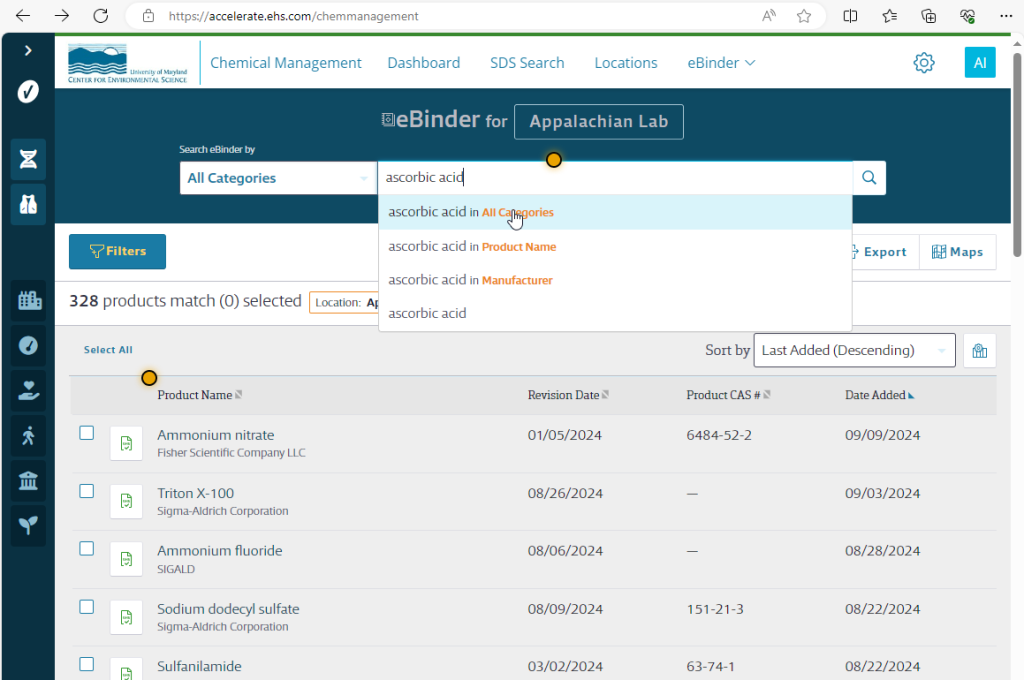
In the search bar type the name of the chemical you are looking for. For this example, I will use ascorbic acid. While you are typing, a few options will pop up below the search box. Click the “All Categories” option:
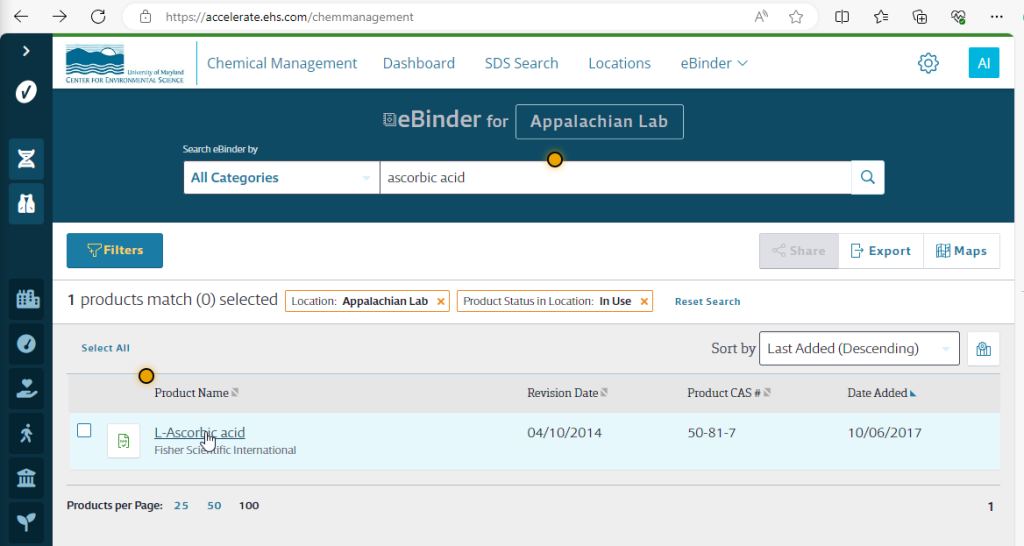
If you’d like to view the Safety Data Sheet (SDS), click the green GHS icon. Otherwise, click the hyperlink for the chemical name:
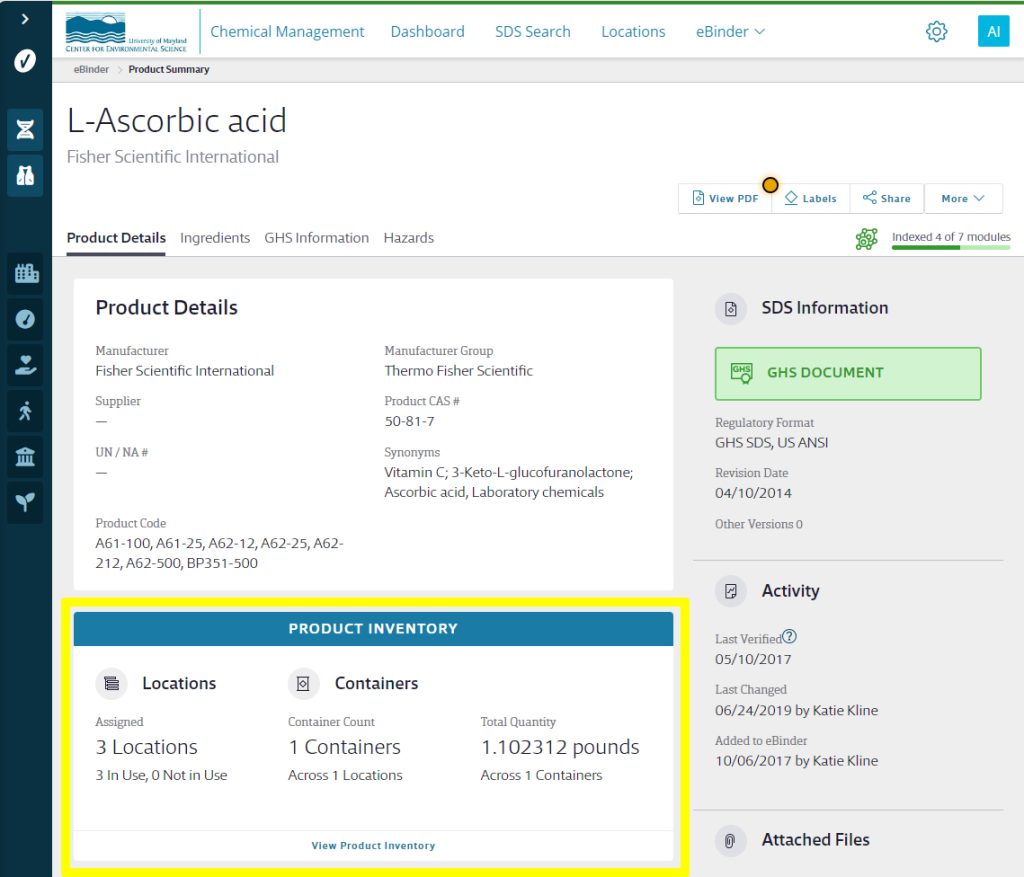
The summary details for this chemical should load, including the product inventory, which is highlighted in the following image and click the link to “View Product Inventory”:
Click the down arrows in the Filters section to expand the locations associated with our lab and click the lab, or labs, where the chemical is located to see the inventory:
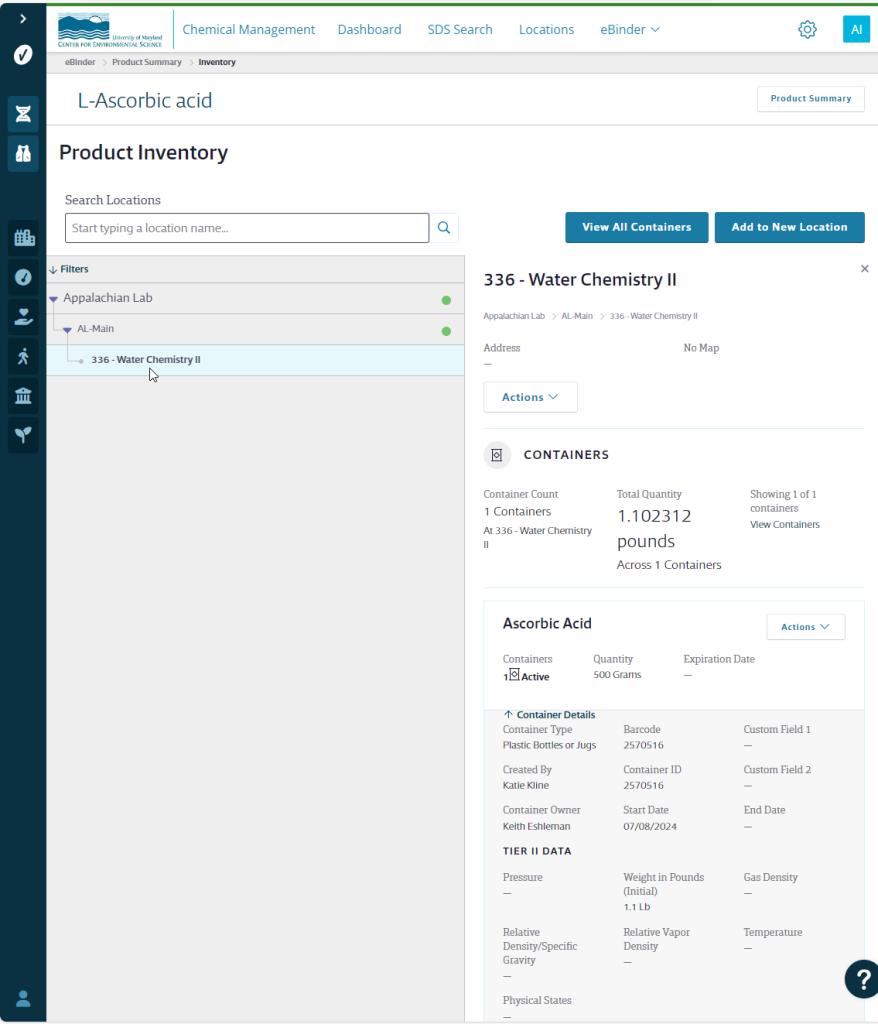
The container details option will allow you to expand or contract the details related to that particular container:
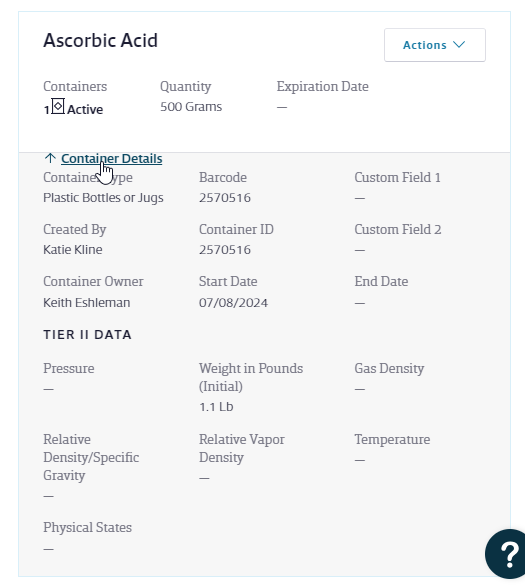
Once you determine where the chemical is being stored, you can contact the PI or FRA associated with that laboratory to inquire about borrowing some of the chemical. Our initial inventory was established in 2018, so any chemicals with a Start Date from 2018 may be older than that. You will need to confirm the age on the actual container by referencing the date received and/or date opened noted on the container itself by lab personnel. Most dry chemicals that don’t have hygroscopic properties that are stored at room temperature with their lids tightly closed should be stable for many years.
Sometimes they may not use that particular chemical any longer and can transfer the entire container to you. If that ever happens, be sure to contact Katie Kline so that the inventory location can be adjusted.
Keep in mind that some chemicals have name variations. It’s a good idea to try to search alternative chemical names or to just enter part of the chemical name in the search bar.